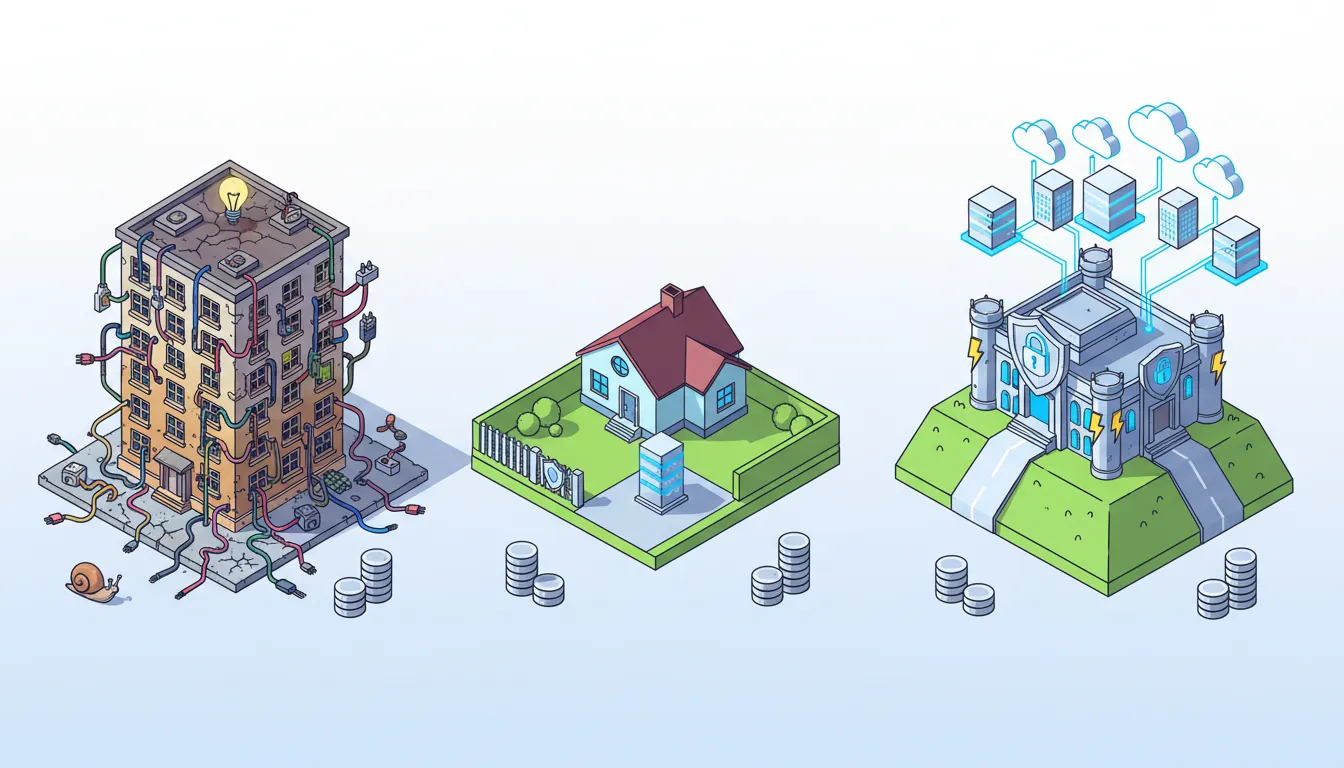
Choosing hosting isn’t just a checkbox when you launch a site. It determines speed, uptime, security, and how far your business can scale. Below is a practical breakdown of the most common hosting options—what they really are, when they work, and when they become a liability. The goal: match hosting to your site’s needs, not the other way around.
Don’t go shared hosting for your website.
Quick primer: hosting types and when they make sense
Shared hosting (the starter pack)
Shared hosting means many customers share one physical server and its resources. It’s cheap and easy to use, which is why most blogs and simple brochure sites start here.
Pros:
- Low cost—great for hobby sites and experiments.
- Easy one-click installs and control panels (cPanel, Plesk).
Cons:
- Performance can be unpredictable due to overselling.
- Limited ability to add infrastructure-level protections (custom caching, firewalls).
- Support is often scripted and not deep enough for complex apps.
Use it if you have a very small site with light traffic and minimal plugins. Move off it when your site becomes critical to revenue, or when traffic or plugin complexity increases.
VPS (Virtual Private Server)
A VPS slices a physical server into dedicated virtual machines. You get more predictable CPU, RAM, and storage than shared hosting—and often root access.
Pros:
- Customizable OS and software stack.
- Better performance isolation than shared hosting.
- Cost-effective for growing sites that need control.
Cons:
- Requires sysadmin knowledge unless you pay for managed VPS services.
- You’ll likely need a control panel or automation layer to avoid CLI work.
When to choose VPS: you need specific server customization, you want control of PHP versions or services, or your site needs performance beyond basic shared plans but you’re not ready for cloud complexity.
Dedicated servers
Dedicated hosting gives you an entire physical machine. That translates to raw power and full control—useful for very large sites or when compliance requires physical isolation.
Pros:
- Maximum performance and customization.
- Predictable resource limits and isolation.
Cons:
- Higher cost and greater operational risk (hardware failure, data center outages).
- Scaling usually requires buying more hardware or complicated architectures.
Use it if you must have physical hardware, want a simple single-server setup at scale, or run workloads that need sustained dedicated resources and you can handle operational overhead.
Cloud hosting (managed clouds and cloud platforms)
Cloud hosting spreads your site across multiple servers and lets you scale resources up or down on demand. It’s elastic and is the best fit for traffic that spikes unpredictably—think seasonal e-commerce, viral campaigns, and SaaS.
Pros:
- Elastic scaling and pay-for-what-you-use pricing.
- High availability via clusters, load balancers, and managed services.
- Managed WordPress clouds (Pressable, WP Engine, etc.) provide platform-level optimizations and fast migrations.
Cons:
- Costs can rise with traffic and resource usage.
- May require care to architect for optimal cost-performance balance.
Cloud hosting is the recommended path for most growing businesses. It eliminates many hardware risks and lets teams focus on product and marketing rather than server plumbing.
Managed WordPress / Managed WooCommerce hosting
This is a specialized cloud offering optimized for WordPress. It bundles platform tuning, caching layers, security protections, and support that understands WordPress internals.
Ideal when you want WordPress performance, automatic updates, and a support team that can troubleshoot plugin conflicts or migration issues. Keep in mind very large custom integrations may still require higher-tier plans or a cloud provider like AWS for special needs.
Colocation
Colocation means you own the hardware and rent space and power in a data center. It’s mostly for organizations that must control physical hardware or data locality.
Colocation still carries hardware risks and remote management complications. For most agencies and SMBs, cloud services have largely supplanted colocation unless you have very specific legal or operational requirements.
Serverless
Serverless hosting runs code in response to events and only charges for actual usage. It’s developer-friendly for micro-services, APIs, and extensions that don’t fit inside a traditional web host.
Use cases: integrations, custom endpoints for platforms like Shopify, or lightweight functions that need near-zero maintenance.
Performance rules of thumb
- Simple blog or marketing site: shared hosting is fine to start.
- Growing e-commerce or WooCommerce store: move off shared hosting as plugin complexity and traffic increase. Expect issues once you exceed roughly 1,000 products or when you hit frequent traffic spikes.
- High traffic, seasonal spikes, or unpredictable demand: cloud hosting with elastic scaling is the safest choice.
- Strict compliance or hardware ownership needs: consider dedicated or colocation with strong backup and redundancy plans.
Tools and tactics that reduce risk
Even before you upgrade hardware, some optimizations can buy you time and improve reliability:
- Use a CDN and edge caching to offload static assets.
- Protect front-facing traffic with Cloudflare, Sucuri, or similar proxy services to block bad bots and reduce server load.
- Implement server-side caching and PHP-level caches where available.
- Track traffic and resource usage so you can plan upgrades before performance degrades.
Managed hosting vs. DIY hosting
Many businesses benefit from handing hosting and site maintenance to a managed hosting partner. Managed hosting means the vendor not only manages servers but also understands the impact of platform changes on your website (PHP updates, plugin compatibility, security patches), and provides timely fixes.
Ask prospective partners these questions:
- Will you manage site-level compatibility after PHP, MySQL, or platform updates?
- Do you include development time for small tasks or fixes in your plan?
- How do you handle outages and communication — real-time Slack channels or only support tickets?
- Can you scale for temporary traffic spikes without manual intervention?
A simple decision checklist
- Is the website critical to revenue? If yes, avoid economy shared hosting.
- Does the site have heavy plugin usage or custom integrations (ERP, external APIs)? If yes, favor VPS, cloud, or managed WordPress with custom support.
- Do you expect traffic spikes or seasonality? Cloud hosting with autoscaling is your friend.
- Do you need full control of hardware and data locality? Consider dedicated or colocation (rare for most businesses).
- Do you want to avoid server ops and focus on product? Choose a managed hosting partner who handles both hosting and site management.
Final recommendations
Start small but plan for growth. Shared hosting is a perfectly reasonable starting point for non-critical sites, but it should be a temporary stage. For any business where uptime and performance impact revenue, invest in cloud hosting or a managed WordPress provider. If you lack in-house sysadmin skills, budget for managed services—those hours saved during outages or updates often pay for themselves.
Short takeaway: If your website matters to your business, prioritize a reliable, managed cloud solution over the cheapest option. Design your hosting choice around traffic patterns, integration needs, and the staff you have to manage it.
Need a checklist to evaluate hosts?
Look for:
- Clear scaling options and predictable pricing.
- Managed support that includes site-level testing after platform updates.
- Security features like WAF, malware scanning, and bot mitigation.
- Backup and recovery policies and demonstrated outage response.
- Migration ease — a fast, tested migration path saves time and risk.
Make hosting a strategic decision. The right foundation removes friction, protects conversions, and lets your marketing and product teams do their best work.