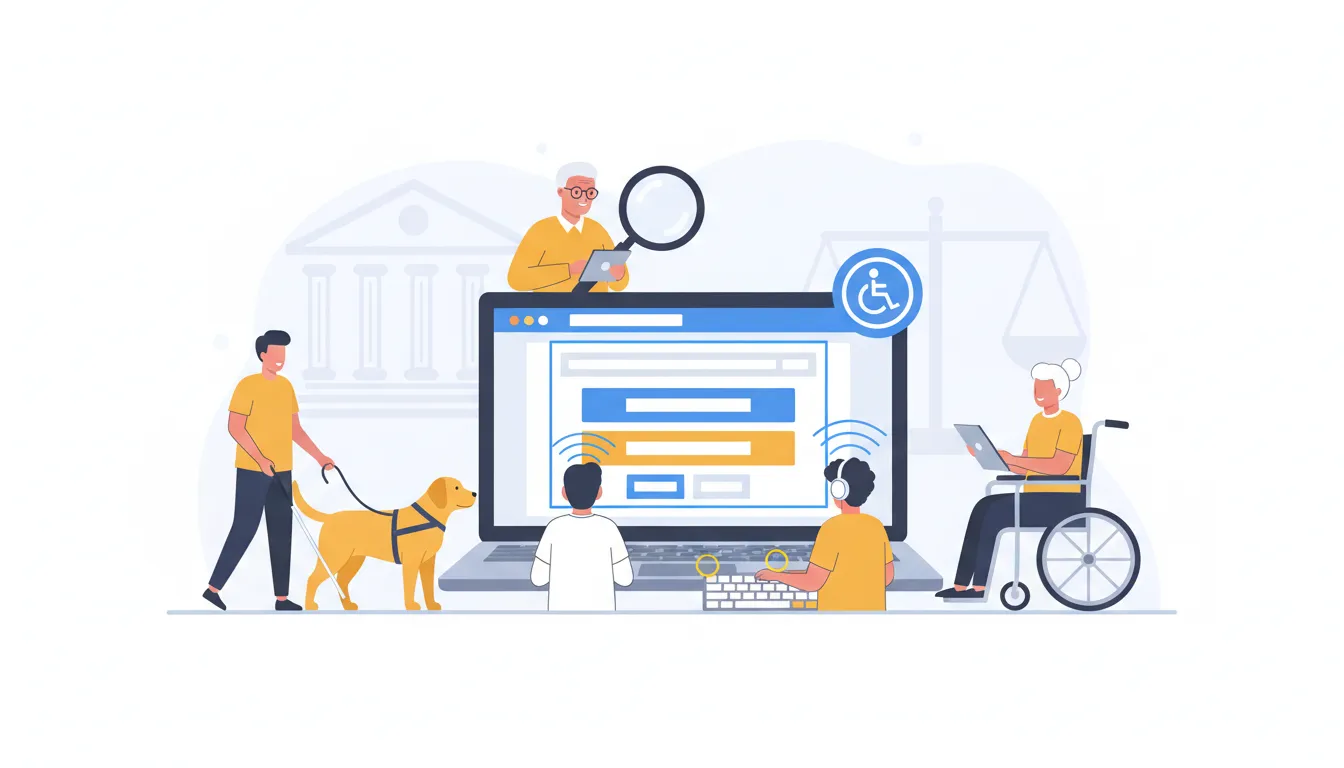
Lawsuits over website accessibility are no longer just a corporate problem. Local shops, service providers, and ecommerce stores are getting demand letters and court filings at an increasing rate. Making your site accessible is both a moral obligation and a practical way to reduce legal risk, improve SEO, and increase conversions.
Why web accessibility matters right now
The legal landscape shifted when courts affirmed that websites are a form of public accommodation. In plain terms, that means a website should be usable by everyone, including people who rely on screen readers, keyboard navigation, or other assistive technologies. The guidance most often used to define technical requirements is the Web Content Accessibility Guidelines, commonly known as WCAG.
“Websites are a place of public accommodation.”
Lawsuits spike in certain states and industries. New York, California, Florida, and Illinois account for a large share of complaints. Ecommerce is by far the most-targeted vertical, followed by government and public-sector sites.
Most common accessibility failures (and why they matter)
Audits consistently turn up the same handful of problems. Fix these first and you’ll address a large portion of typical complaints.
- Missing or poor alt text — Every meaningful image, icon, or functional graphic should include an accurate description. Alt text was designed for screen readers, and it also helps search engines understand images. Stuffing SEO keywords or using SKU numbers is not a substitute for clear, descriptive alt text.
- Poor color contrast — Text over low-contrast backgrounds or decorative imagery often fails WCAG checks and makes content unreadable for many users, including people with low vision or color blindness.
- Broken keyboard navigation and focus order — Users who can’t use a mouse rely on tab order, visible focus states, and accessible dropdowns/pop-ups. If keyboard focus jumps unpredictably or skips elements, the site is effectively unusable for those users.
- Uncaptioned video and inaccessible audio — Auto-generated captions help, but automatic transcription is not 100% accurate. For important videos, provide edited captions or a transcript.
- Unremediated PDFs and documents — Accessible PDFs (tagged, structured, readable by screen readers) are often overlooked but are frequently cited in complaints.
How remediation actually happens: AI, manual fixes, or a hybrid
There are three practical approaches:
- Manual remediation — Auditors or developers fix issues page by page. It’s precise but can be slow and expensive for large or dynamic sites.
- Automated widgets and overlays — A script or plugin sits on top of your site and provides UI adjustments (larger text, higher contrast, keyboard helpers) and automated alt text generation. These solutions can scale quickly but are not a magical one-and-done fix.
- Hybrid approach — Use an automated solution to cover broad problems and ongoing changes, then layer manual remediation for complex or high-priority pages (checkout, forms, product pages).
A realistic implementation often begins with a single line of JavaScript that scans the site and applies initial fixes. That scan typically takes 24–48 hours to analyze pages, images, and assets. After that, continuous monitoring is needed because new pages and product uploads can reintroduce issues.
Widgets: what they do — and what they don’t
Widgets are useful for quick wins: they let users adjust fonts, contrast, and cursor behavior, and they can provide an accessible experience for many visitors on demand. Important caveats:
- Liability still rests with the website owner. Installing a widget doesn’t shift legal responsibility away from the site owner.
- Not all widgets are equal. Free widgets may give the appearance of effort but can be used against you in a complaint as evidence of negligence.
- Alt text and semantic fixes are rarely fully handled by overlays. Those require deeper remediation or accurate automated image recognition plus a monitoring process.
Which industries and sites are most at risk?
If you have an ecommerce store, you are at the top of the list. Roughly three quarters of complaints involve online retailers, marketplaces, and sites with product catalogs. After ecommerce, state and local government websites historically faced significant scrutiny.
Practical compliance plan (what to do this week)
Follow this pragmatic checklist to reduce risk and improve accessibility quickly.
- Run an initial site scan — Use an automated scanner plus a manual review for key pages (homepage, product pages, checkout, forms).
- Prioritize quick wins — Alt text, contrast, and keyboard navigation fixes usually deliver the most impact for the least effort.
- Add captions and transcripts for videos — Publish on a platform that supports captions (YouTube can auto-transcribe), then edit the output for accuracy.
- Document everything — Keep before-and-after reports and a remediation log (this is essential if you ever need to demonstrate effort to a complainant or a court).
- Enable continuous monitoring — Schedule regular scans and require alt text at upload time for new images (build a simple content workflow or upload validation).
- Consider litigation support — Some providers offer legal support, report libraries, and reimbursement pledges to help deter or respond to demand letters.
How to reduce the chance of a lawsuit
Prevention is both technical and administrative. Show your effort: keep remediation reports, show that an accessibility tool was active at the time of complaint, and maintain a history of user testing with assistive technology where reasonable.
Many providers offer a combination of automated coverage plus manual remediation and litigation support packages. When a complaint arrives, a documented history of scans, fixes, and user testing can be a strong deterrent and, in many cases, stops a lawsuit from progressing.
Accessibility and site-building choices that help from the start
Choosing accessible foundations makes compliance easier. Native platforms and CMS features vary widely:
- Gutenberg (native WordPress editor) offers strong out-of-the-box accessibility for many use cases.
- Some page builders score poorly on accessibility. If you control the tech stack, prefer lightweight themes and native block editors over complex visual builders when possible.
- Enforce upload rules — Require alt text at image upload and use file-naming conventions that reflect image content rather than internal SKUs.
A short checklist for every site owner
- Add meaningful alt text to every image and icon.
- Verify color contrast across pages and CTAs.
- Test keyboard navigation and visible focus states.
- Caption and transcribe videos — don’t rely solely on automatic captions for critical content.
- Scan regularly and document remediation efforts.
- Use a hybrid remediation strategy for long-term resilience: automated monitoring + manual fixes for high-value pages.
Final thoughts
Accessibility is ongoing, not a one-time project. For many businesses the optimal approach is to combine automated tools for coverage and monitoring with manual remediation on complex or revenue-critical pages. That combination improves user experience, helps search engine visibility, and creates a defensible record if a complaint arises.
If you need to move quickly: run a full scan, prioritize images and checkout flows, document your fixes, and establish a repeating monitoring cadence. That strategy will reduce legal exposure and make the site more usable for everyone.
For demonstrations, trials, or help choosing the right approach for your tech stack (Shopify, WordPress, or custom), many accessibility providers offer free trials, plugins, and legal support packages to get you started.